The map tree
The options to control which map data is plotted are accessed by right-clicking on individual or a group of product classes, object types or graphical component types in the sidebar, Map tab. You also have the option to change the product in the drop-down menu. To select more items in the tree view, use Ctrl or Shift.
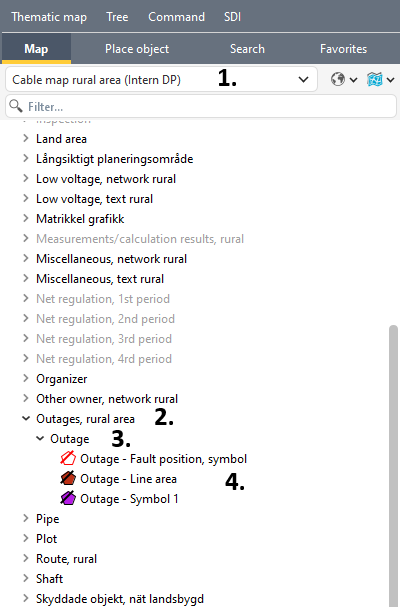
1.Selected product
2.Product class
3.Object type
4.Graphical components
Save the settings in the changeset via Settings > Save frame settings.
If you want to make the change available in other changesets, you can create a map template. A map template can be made global, making it available to other users. This requires the PST_ADMIN role.
Minor adjustments to a map product are best handled via map templates, instead of creating new map products for each need.
See section Map templates for more information.