You can define cable pillar templates that work in either Map or Schema.
Defining a template
1.Select Tools > Templates > Cable pillar template > Map or Schema > Define.
2.Left-click to select a cable pillar in the graphical view. A dialog box opens.
3.Enter a name for the cable pillar template and press OK.
4.Place the reference point at the desired position or accept the existing reference point and press OK.
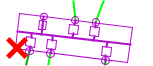
Delete template
1.Select Tools > Templates > Cable pillar template > Map or Schema > Delete.
2.Select the cable pillar template in the list and press Delete.
3.Press Yes to confirm.
More information
To position the cable pillar template on the map, see section Place > Cable pillar template.