Displays a table of the map sheets available in the active view.
Show map sheet inside active view
Select Show > Reference Map > Map Sheet inside active view. The current view window opens.
Settings
Map sheet name |
The name of the map sheet. |
Coordinate system |
The coordinate system of the map sheet in the database. |
Plot scale |
The scale of the map sheet adapted for printing in A2 format. |
Close |
Close the window. |
More information
|
•Select the field headings to sort the content in ascending or descending order, for example by Print scale. •Select and right-click one or several objects in the list, then select Show in active window to zoom to the current map sheet. •Press Ctrl or Shift to select multiple objects at once. To select all objects, press Ctrl - A. |

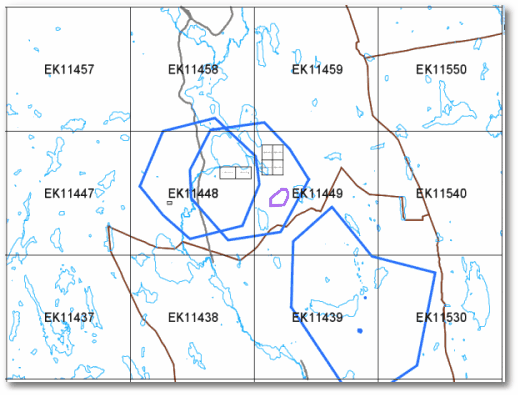
Example of section from map view
|
Section of map view showing a grid of 10,000 parts and a number of 4,000 parts (in the center of the image). |